
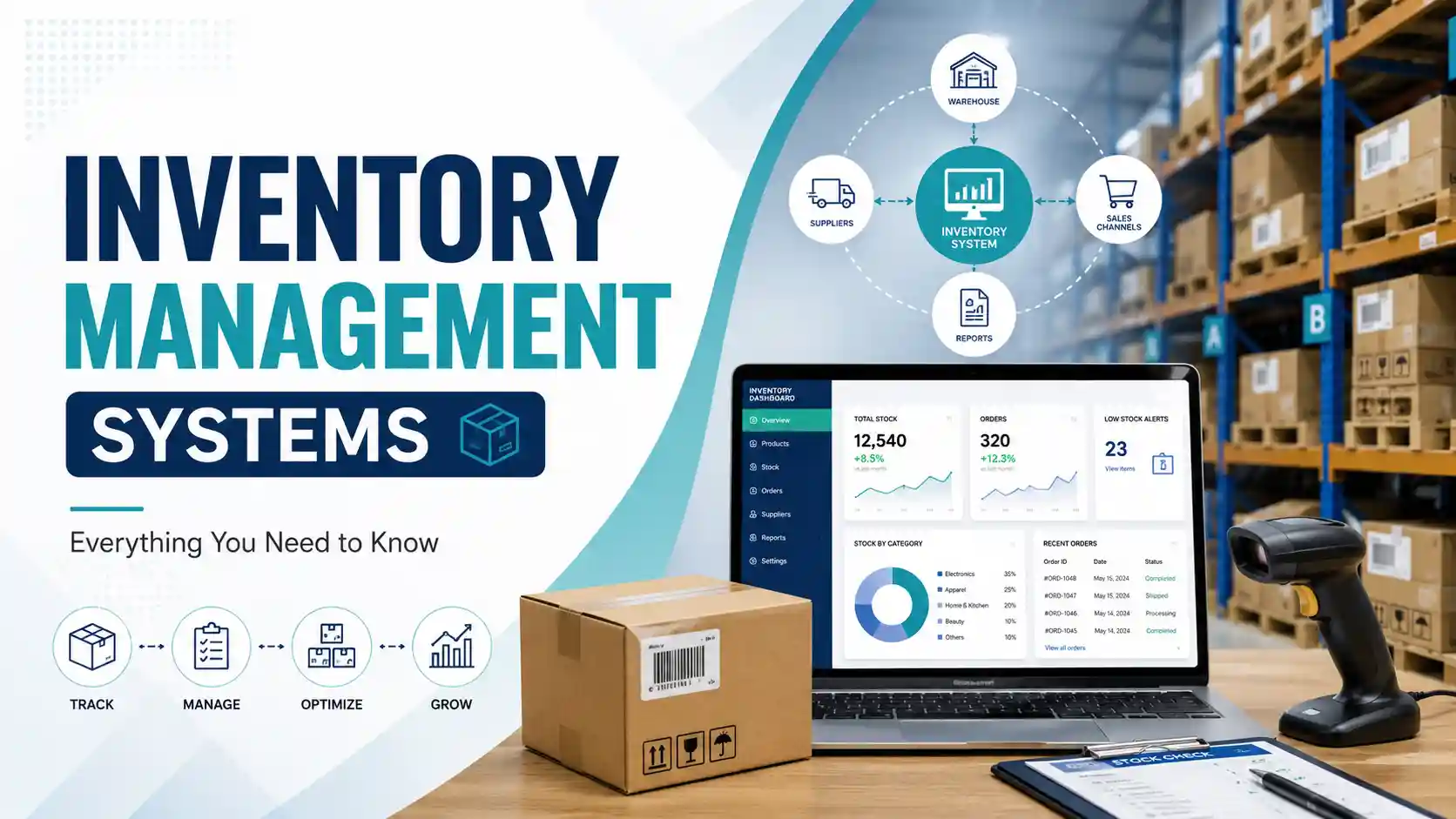
An inventory management system is a method or software businesses use to track stock, orders, purchases, sales, and product movement. It shows how much inventory is available, where it is located, and when more stock should be ordered.
Modern inventory management systems can automatically update quantities when products are purchased, moved, sold, returned, or manufactured. They may also connect with accounting, ecommerce, warehouse, barcode, and supply chain systems to provide accurate inventory information in real time.
Inventory systems are important because they help businesses prevent stockouts, reduce excess inventory, improve order accuracy, control carrying costs, and meet customer demand. This guide explains how inventory management systems work, the main types available, common examples, important features, costs, and signs that a business may need to upgrade.
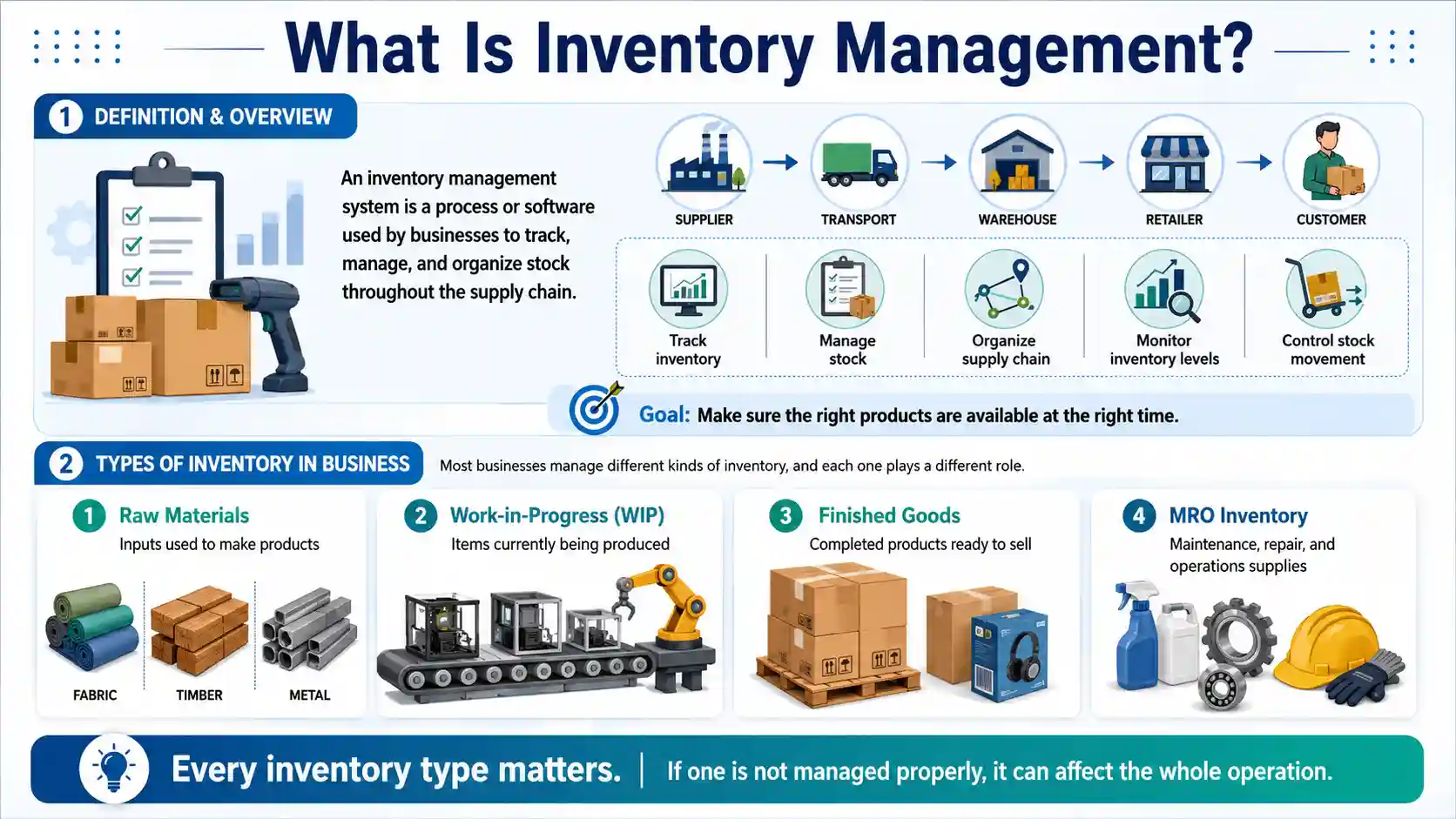
What Is Inventory Management?
Inventory management is the process of tracking, ordering, storing, and selling a company’s goods throughout the supply chain. It covers everything from raw materials and unfinished products to completed items ready for customers. A good inventory management process shows what stock is available, where it is stored, how quickly it is selling, and when it needs to be reordered. Its main goal is to keep enough inventory to meet customer demand without creating stockouts or holding excess stock that takes up storage space and ties up working capital.
An inventory information system stores data about product quantities, locations, suppliers, purchase orders, sales, returns, reorder points, lead times, and stock movements.
Core Functions of an Inventory Management System
The main functions of an inventory management system are tracking stock levels, recording product movements, organizing item locations, monitoring purchase and sales orders, setting reorder points, producing inventory reports, and forecasting future demand. More advanced systems can also manage multiple warehouses, generate purchase orders, support barcode scanning, and synchronize inventory across stores and online sales channels.
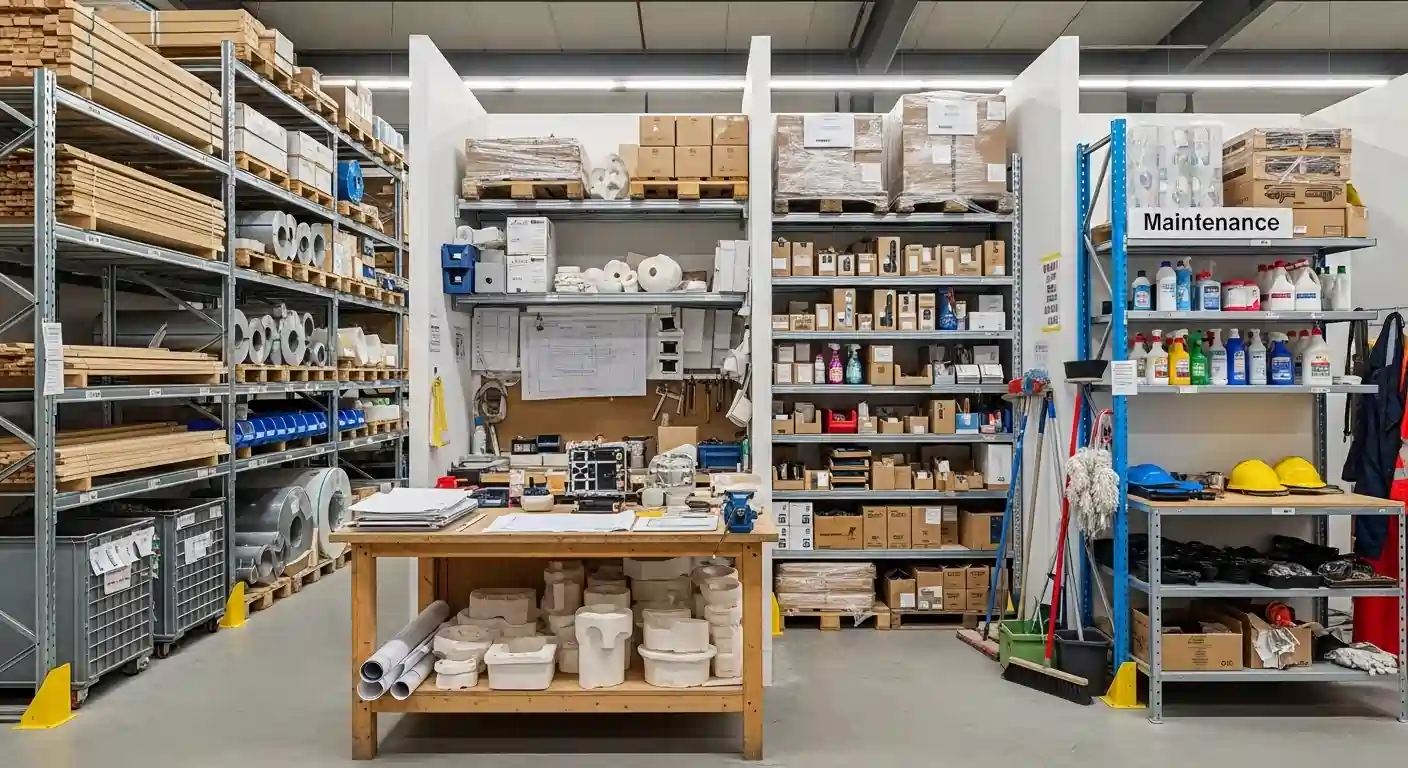
Types of Inventory in Business
Before choosing a management system, it is helpful to understand what the business needs to track.
Raw materials
Raw materials are the inputs used to produce another product. Examples include fabric for clothing, timber for furniture and metal for machinery.
Work-in-progress inventory
Work-in-progress, or WIP, includes items that have entered production but are not yet complete. Tracking WIP helps manufacturers understand how much material is currently tied up in production.
Finished goods
Finished goods are completed products that are ready to be sold or distributed.
MRO inventory
MRO refers to maintenance, repair and operations inventory includes supplies needed to keep the business running. Examples include spare parts, cleaning products, lubricants, tools and safety equipment.
Packaging materials
Boxes, labels, pallets, containers and protective materials may also need to be tracked. A shortage of packaging can delay fulfilment even when finished products are available.
Goods in transit
Inventory may still belong to a business while being transported between suppliers, warehouses, stores or customers. Tracking goods in transit improves supply chain visibility.
How Inventory Management Works
The fundamental idea is simple: every time a product moves, that movement gets recorded. Goods arrive logged. Items are sold and updated. A return comes in notes. The result is a live, accurate picture of your stock at any given moment. Without that picture, you are guessing. You over-order because you are not sure what you have.
How to Implement an Inventory Management System
Implementing an inventory management system begins with reviewing current stock processes, product data, storage locations, sales channels, and reporting needs. The business can then select appropriate software, standardize product codes, import inventory records, set reorder levels, connect other systems, and train employees. A physical stock count should be completed before launch so the new system starts with accurate information.
- Review current inventory processes.
- Define operational and reporting requirements.
- Select the appropriate system.
- Clean and import product data.
- Set stock levels and user permissions.
- Integrate sales and accounting tools.
- Train employees and test the workflow.
- Conduct an opening inventory count.

Why Is Inventory Management Important?
Inventory management is important because stock represents both an opportunity and a cost. A business needs enough inventory to meet customer demand, but holding too much inventory uses cash and requires additional storage. Products may also expire, become damaged, lose value or become outdated before they are sold.
Effective inventory management helps balance these risks.
Preventing stockouts
A stockout occurs when a business runs out of an item customers want to buy. This may lead to delayed orders, cancelled purchases and lost customers. Inventory systems help businesses monitor available quantities and reorder products before they run out.
Reducing excess inventory
Overstocking happens when a business purchases more inventory than it can reasonably sell or use. Excess stock increases storage, handling, insurance and financing costs. Better demand and inventory data help purchasing teams order quantities that are more closely aligned with actual demand.
Protecting cash flow
Money invested in unsold inventory cannot be used for payroll, marketing, equipment or business growth. Inventory management helps businesses avoid tying up unnecessary capital in slow-moving products.
Improving order fulfilment
Accurate inventory records help employees find items, confirm availability and fulfil orders faster. They also reduce the risk of shipping the wrong product or accepting an order for unavailable stock.
Supporting financial reporting
Inventory is an important business asset. Incorrect counts can distort financial statements, cost-of-goods calculations and profitability reports. A reliable inventory system provides more accurate stock values and transaction records.
Benefits of an Inventory Management System
An inventory management system helps businesses track stock accurately, reduce errors, and avoid overstock or stockouts. It improves efficiency, saves time, and helps businesses make better decisions about ordering and managing products.
- Better Accuracy Every stock movement is recorded automatically, so your inventory counts are always reliable. No more guessing or manual errors.
- Faster Order Fulfilment When your team knows exactly what is in stock and where it is, orders get picked, packed, and shipped much faster.
- Happier Customers Accurate stock means fewer delays, fewer wrong items, and fewer out-of-stock disappointments all of which keep customers coming back.
- Lower Costs You stop over-ordering products that sit idle and avoid emergency purchases when stock runs out unexpectedly. That balance saves real money.
- Smarter Decisions The system collects sales data over time, showing you what sells fast, what moves slowly, and what to order next so every purchasing decision is backed by facts, not guesswork.
- Better Demand Forecasting Historical data helps you predict what customers will need ahead of time, so you are always prepared rather than scrambling to catch up.
In short, a good inventory management system does not just track your stock. It makes your whole business more efficient, more reliable, and more profitable.
How Does an Inventory Management System Work?
An inventory management system records what happens whenever an item enters, moves through or leaves a business. Each product is normally assigned an identifying number, such as a stock-keeping unit, barcode, serial number or batch number. That identifier allows the system to distinguish one product from another.
A typical inventory process works as follows.
1. Inventory is received
When goods arrive from a supplier, employees count, scan or enter them into the system. The available quantity and storage location are then updated.
For manufacturers, received stock may include raw materials, components, packaging and maintenance supplies.
2. Products are stored
The system records where items are placed, such as a warehouse, store, aisle, shelf or bin location. Accurate location data helps employees find products without searching manually.
3. Inventory moves
Stock may move between shelves, stores, warehouses, production areas or fulfilment centres. Each movement should be recorded so that the system continues to show the correct quantity at each location.
4. Products are sold or used
When a customer purchases an item, the system reduces the available quantity. In manufacturing, inventory may also be reduced when raw materials are used to produce finished goods.
5. Returns and adjustments are recorded
Customer returns, damaged products, expired goods and missing stock must be entered into the system. These adjustments help keep digital records aligned with physical inventory.
6. Replenishment is triggered
When stock reaches a defined reorder point, the system can send an alert, recommend a purchase quantity or automatically create a purchase order.
7. Reports are generated
The system converts inventory data into reports about sales, stock value, demand, turnover, carrying costs, supplier performance and product profitability.
In an automated perpetual system, these updates happen as transactions occur. In a manual or periodic system, the information may not change until an employee enters it or completes a physical count.
Types of Inventory Management Systems
Inventory management systems can vary in complexity depending on the size and needs of a business. From simple manual methods to advanced cloud-based solutions, each system offers a different level of control and efficiency in managing stock.
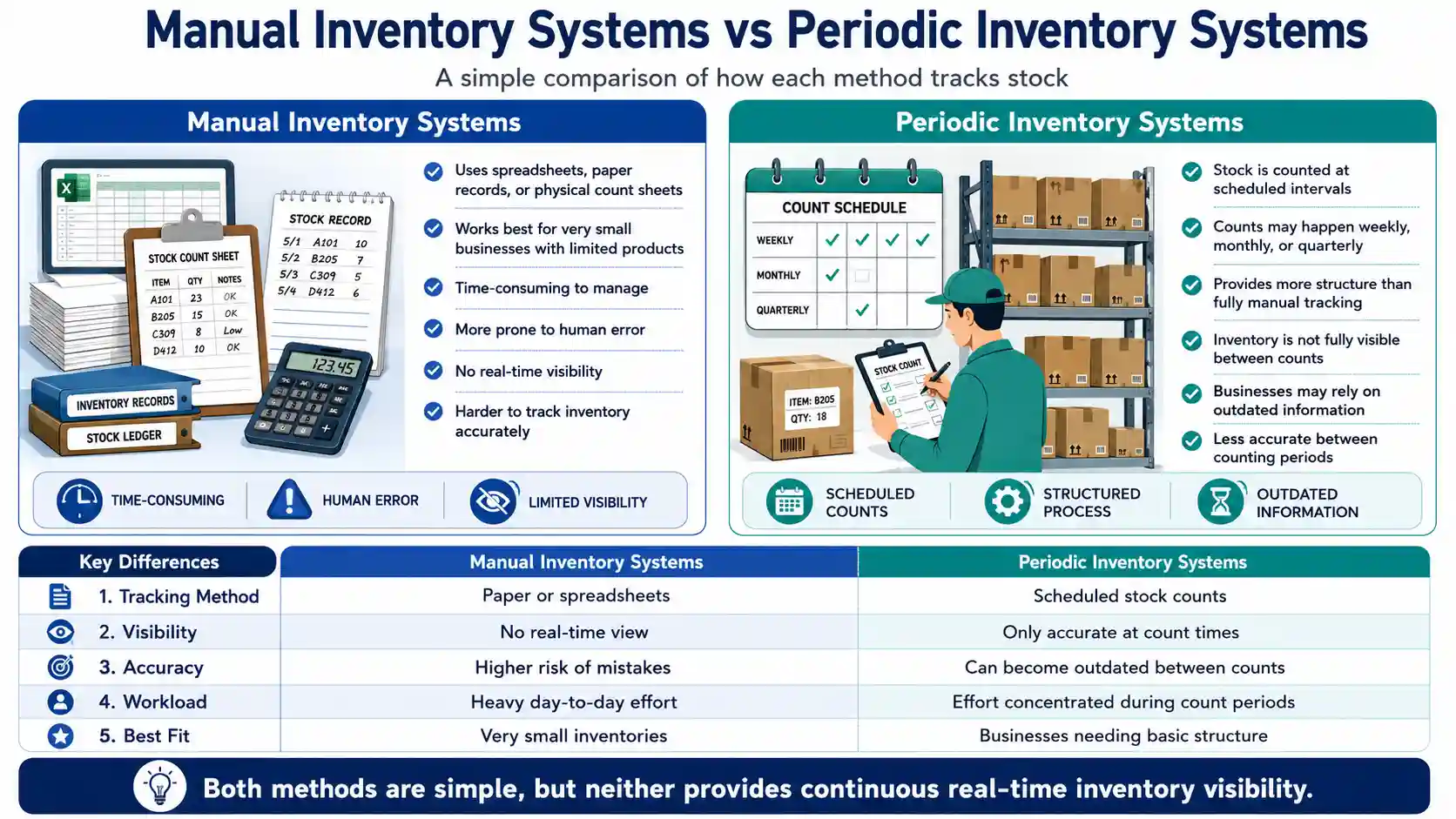
Manual Inventory Systems
Manual inventory systems rely on spreadsheets, paper records, or physical count sheets to track stock. These systems can work for very small businesses with limited products, but they are time-consuming and prone to human error. They also lack real-time visibility, making it harder to track inventory accurately.
Periodic Inventory Systems
Periodic inventory systems involve counting stock at scheduled intervals, such as weekly, monthly, or quarterly. While this method provides some structure, businesses do not have an accurate view of inventory between counts. As a result, decisions may be based on outdated information.
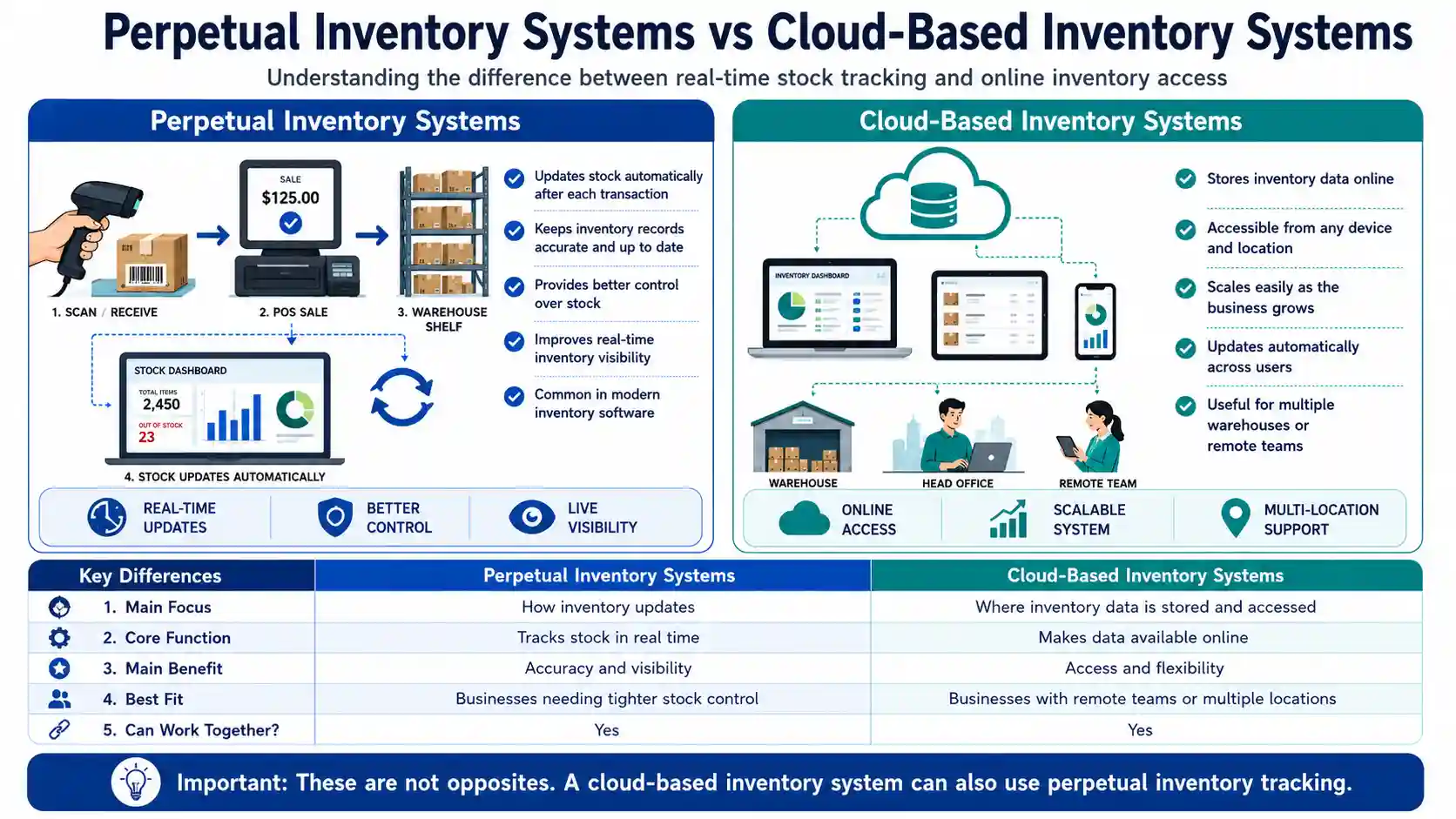
Perpetual Inventory Systems
A perpetual inventory system updates stock levels automatically whenever a transaction occurs. This means inventory records remain accurate and up to date at all times. Most modern inventory software uses this method because it provides better control and visibility over stock.
Cloud-Based Inventory Systems
Cloud-based inventory systems store data online instead of on local computers. This allows businesses to access inventory information from any device and location. These systems are scalable, update automatically, and are especially useful for businesses with multiple warehouses or remote teams.
What Makes a Modern Inventory Management System?
A modern inventory management system combines real-time stock tracking, automation, cloud access, reporting, and integrations with sales, warehouse, and supply chain tools. Unlike spreadsheets or basic stock lists, modern systems update inventory whenever a product is received, sold, returned, transferred, or adjusted. Many platforms also support barcode scanning, demand forecasting, low-stock alerts, multi-location tracking, and automated purchasing.
Difference between an inventory system and a warehouse management system
An inventory system tracks stock quantities, product movement, availability, and reorder levels across a business. A warehouse management system focuses on how inventory is received, stored, picked, packed, and shipped within a warehouse. While both systems manage stock-related activities, a WMS provides more detailed control over warehouse operations.
| Comparison Area | Inventory System | Warehouse Management System |
|---|---|---|
| Primary Purpose | Tracks inventory levels and product availability. | Manages daily warehouse operations and workflows. |
| Main Focus | Monitors what stock is available and when it needs replenishment. | Controls where stock is stored and how it moves through the warehouse. |
| Core Functions | Stock tracking, reorder alerts, purchase orders, and inventory reporting. | Receiving, putaway, slotting, picking, packing, and shipping. |
| Location Tracking | Usually tracks inventory by store, warehouse, or facility. | Tracks exact storage locations, including zones, aisles, racks, bins, and shelves. |
| Best Suited For | Small businesses, retailers, wholesalers, and companies with basic stock-control needs. | Businesses operating large, busy, or multiple warehouses with complex fulfilment processes. |
| Level of Detail | Provides a broader view of inventory across the business. | Provides detailed, real-time visibility into warehouse tasks, staff, and stock movement. |
How Much Does an Inventory Management System Cost?
Inventory management systems cost vary by business size, user count, and required features, typically ranging from free to a few hundred dollars per user, per month.
Free or low-cost options. Spreadsheet tools like Google Sheets cost nothing but require heavy manual upkeep. Basic stock features built into apps like Shopify or Square are usually included in an existing subscription.
Small to mid-sized cloud software. Dedicated inventory management systems for growing businesses typically run $100 to $300 per user, per month, plus a one-time setup fee of a few hundred to a couple thousand dollars.
Enterprise and ERP systems. Full ERP inventory management systems cost significantly more, with implementation alone ranging from $10,000 to $40,000, plus ongoing licensing and support.
What drives the price: user and warehouse count, integrations (accounting, ecommerce, CRM), order volume, automation level, and support needs.
Rule of thumb: start with the simplest inventory management systems that solve today’s problem, and upgrade once manual errors and lost time cost more than a dedicated system would.
How Inventory Management Supports the Supply Chain
An inventory management system connects purchasing, receiving, storage, sales, and fulfilment across the supply chain. It helps businesses monitor goods from the supplier through the warehouse and ultimately to the customer. By sharing accurate stock data across these stages, the system can improve replenishment planning, reduce supply delays, prevent unnecessary purchases, and help teams respond more effectively to changes in demand.
Common Inventory Management Methods
Inventory management methods are strategies businesses use to control how stock is ordered, stored, and sold. Popular approaches include Just-in-Time (JIT), FIFO, ABC Analysis, and Economic Order Quantity (EOQ). Each method helps businesses reduce costs, avoid stock shortages, and maintain the right level of inventory.
Just-in-Time (JIT)
Just-in-Time inventory means ordering stock only when it is needed. This approach reduces storage costs and prevents excess inventory. However, it requires reliable suppliers and accurate demand forecasting to avoid stockouts.
Economic Order Quantity (EOQ)
Economic Order Quantity is a formula used to determine the most efficient order size. It balances ordering costs and holding costs so businesses can minimize total inventory expenses. Many modern inventory systems automatically calculate EOQ based on sales data.
First In, First Out (FIFO)
FIFO means that the oldest inventory is sold or used before newer stock. This method is important for perishable products such as food, medicine, and cosmetics. It also helps prevent products from becoming outdated or unsellable.
Last In, First Out (LIFO)
LIFO assumes that the most recently added inventory is sold first. This method is mainly used for accounting purposes rather than physical stock handling. In many countries, it is restricted
under international accounting standards.
ABC Analysis
ABC Analysis divides inventory into three categories based on value and importance. A items are high-value products that require close monitoring, B items have moderate importance, and C items are low-value products that need less management. This method helps businesses focus their attention on the most important inventory.
Inventory Management System vs. ERP System
Both can track stock, but they serve different purposes. An inventory management system focuses specifically on stock, while an ERP (enterprise resource planning) system is a much broader platform that covers inventory alongside accounting, HR, manufacturing, and other core business functions in one place.
| Comparison Area | Inventory Management System | ERP System |
|---|---|---|
| Primary Purpose | Tracks stock levels and product movement. | Manages multiple business functions, including inventory. |
| Scope | Narrow and stock-focused. | Broad: finance, HR, supply chain, and more. |
| Best Suited For | Small to mid-sized businesses focused on stock control. | Larger businesses needing one system across departments. |
| Implementation | Generally faster and less expensive to set up. | Often takes longer and costs more to implement. |
| Flexibility | Easier to swap out or upgrade independently. | Harder to change once the whole business depends on it. |
In short, a dedicated inventory management system is usually the better starting point for businesses focused on stock control, while an ERP system makes sense once inventory data needs to be tightly connected to accounting, HR, and other operations under one roof.
Challenges in Inventory Management
Inventory management can be complex, and most businesses face challenges at some stage. Companies that manage these issues effectively usually rely on proper systems and processes to detect problems early and respond quickly before they become costly.
Inaccurate Inventory Data
Small mistakes, such as missed scans, unrecorded returns, or incorrect counts, can gradually lead to inaccurate inventory records. When data no longer matches the actual stock on shelves, businesses may experience order errors, stock shortages, or inefficient purchasing decisions.
Demand Fluctuations
Customer demand can change quickly due to seasonal trends, promotions, or market conditions. If businesses cannot adjust their inventory levels accordingly, they may face either excess stock or product shortages.
Supply Chain Disruptions
External factors like shipping delays, supplier shortages, or logistics issues can disrupt inventory availability. Having backup suppliers and maintaining safety stock can help reduce the impact of these disruptions.
Managing Multiple Locations
Tracking inventory becomes more challenging when businesses operate across multiple warehouses or stores. Without a centralized system, stock may accumulate in one location while another location runs out, making it difficult to maintain balanced inventory levels.
What Is Included in Inventory Management Solutions and Services?
Inventory management solutions may include inventory software, warehouse tracking, barcode systems, stock audits, order management, demand planning, and fulfilment support. The right solution depends on the number of products, sales channels, storage locations, order volume, and level of automation a business requires. Some companies use standalone inventory software, while others need an integrated system connected to purchasing, accounting, ecommerce, and warehouse operations.
Best Practices for Effective Inventory Management
Effective inventory management is not about working harder but about using the right systems and processes. When businesses adopt proper tools and consistent practices, they can maintain accurate stock levels, reduce errors, and ensure customers always find the products they need.
Use Inventory Management Software
As a business grows, relying on spreadsheets becomes inefficient and prone to mistakes. Inventory management software automatically tracks stock movements, updates records in real time, and provides better visibility into inventory levels.
Conduct Regular Inventory Audits
Even with reliable systems, regular physical inventory checks are important. Periodic stock counts help confirm that recorded inventory matches the actual items in storage and allow businesses to identify and correct discrepancies early.
Set Minimum Stock Levels
Every product should have a defined reorder point that triggers a new purchase order before inventory runs out. Setting minimum stock levels helps maintain consistent availability while preventing unnecessary overstocking.
Forecast Demand Accurately
Accurate demand forecasting helps businesses plan inventory more effectively. By analysing past sales data and seasonal trends, companies can adjust stock levels in advance and avoid both shortages and excess inventory.
Real Examples of Inventory Management Systems
Across different industries, the key advantage of an inventory management system is real-time visibility. When businesses know exactly what stock they have and where it is located,
operations become faster, more organized, and far less prone to costly mistakes.
Retail Inventory Management Example
A clothing store may carry hundreds of styles in different sizes and colours. Without a system, employees often need to manually check the stockroom to confirm product availability. With an inventory management system connected to the point-of-sale, each sale automatically updates stock levels, allowing staff to instantly see what items are available.
Warehouse Inventory Example
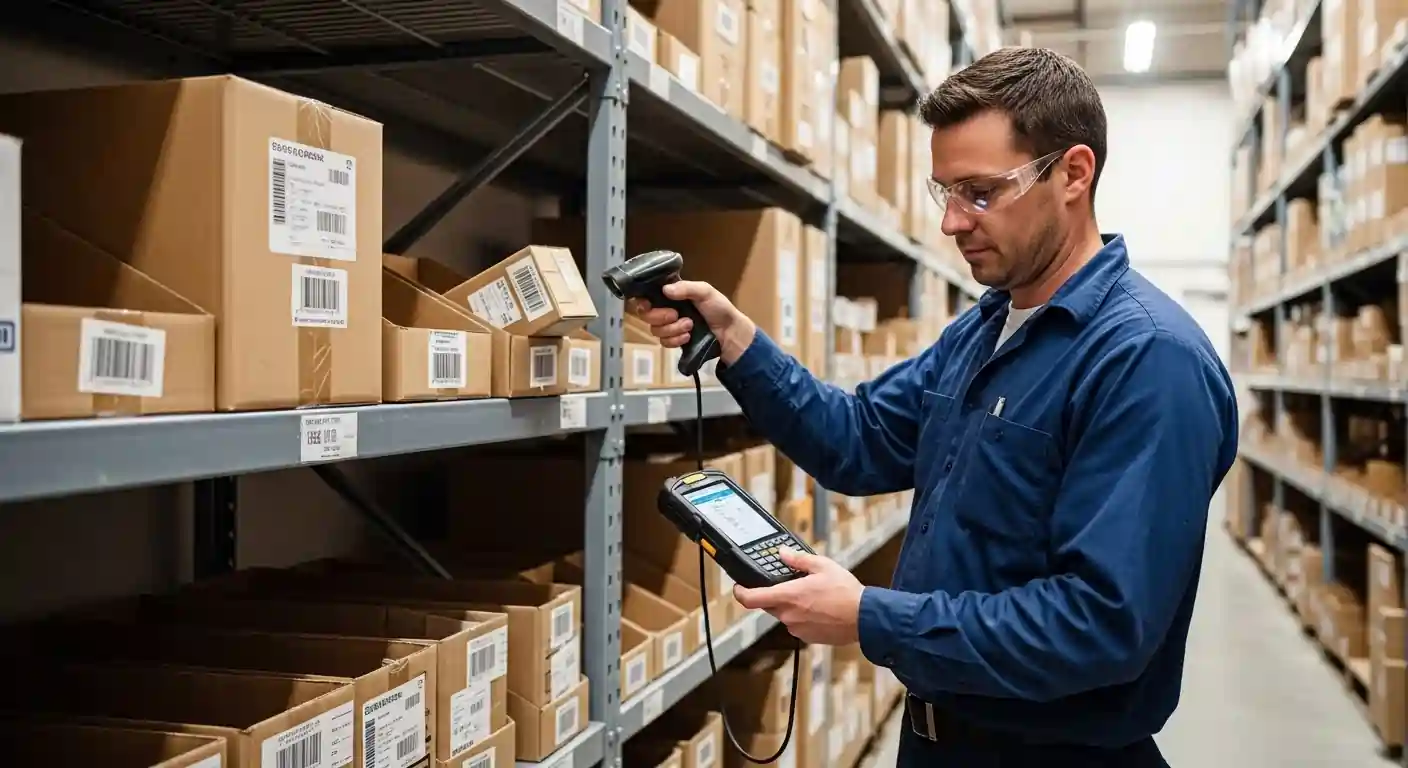
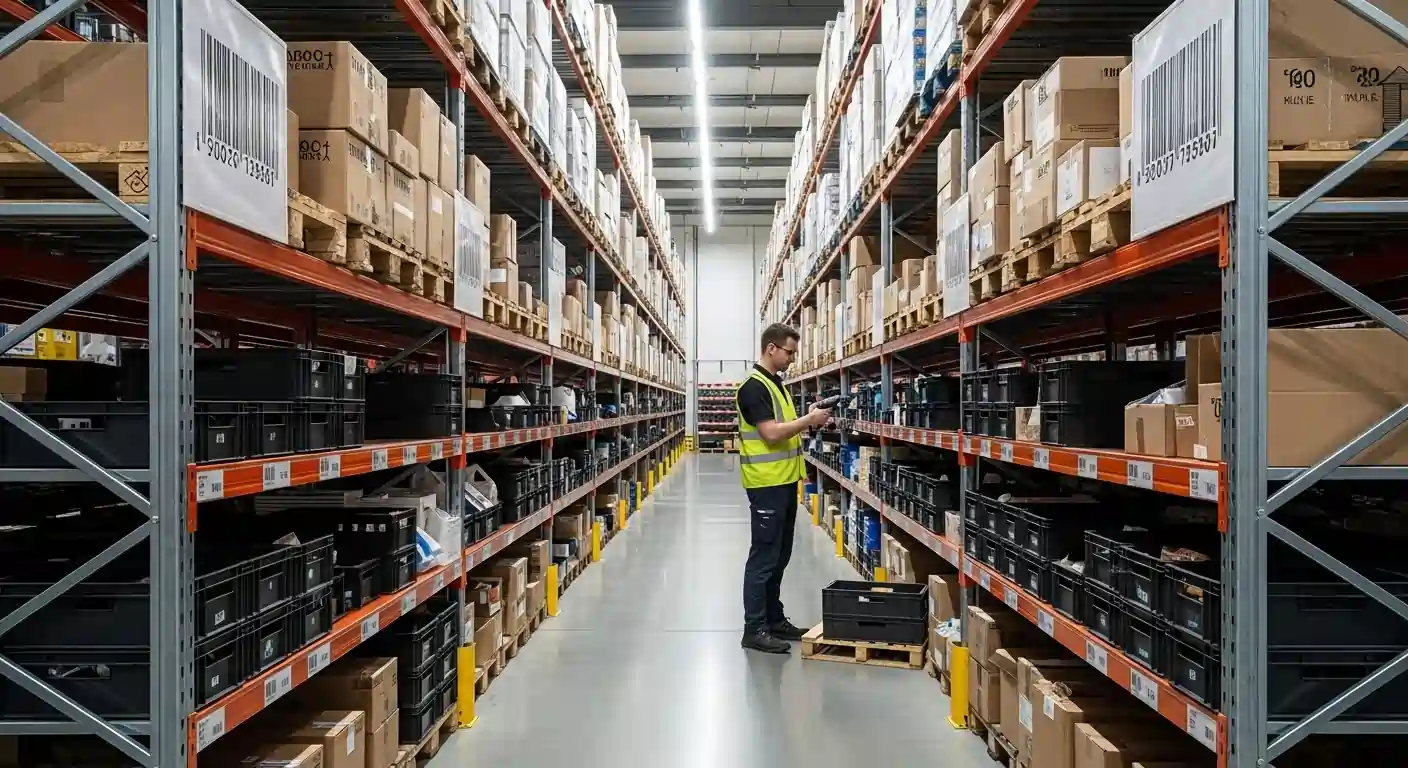
A large warehouse processes thousands of products every day. Workers use barcode scanners to record incoming stock and locate items when fulfilling orders. The system tracks where every product is stored, helping workers quickly find items and improving overall efficiency.
Manufacturing Inventory Example
A furniture manufacturer manages both raw materials and finished products. Their inventory system shows how many items can be produced with available materials and highlights which components need to be reordered. This helps managers plan production, avoid material shortages, and deliver orders on time.
The Future of Inventory Management
The future of inventory management is faster, smarter, and more automated. Businesses that adopt modern systems early can operate more efficiently, improve customer service, and stay ahead of competitors. The focus is shifting toward real-time data, intelligent automation, and systems that simplify inventory control.
Automation and AI in Inventory
Artificial intelligence is transforming how businesses manage stock. AI-powered systems analyse data to forecast demand, detect patterns, and recommend when to reorder products. As these tools become more accessible, businesses of all sizes can benefit from better forecasting and smarter decision-making.
Gartner projects that 70% of large organizations will adopt AI-based demand forecasting by 2030, and among supply chain leaders already using AI, demand forecasting is the most mature use case, with adoption reaching 87%.
Real-Time Tracking and Analytics
Inventory management is moving toward real-time visibility. Instead of relying on delayed reports, businesses can use live dashboards to monitor stock levels across products, locations, and sales channels. This allows companies to identify issues quickly and respond before they affect operations.
Smart Warehousing
Smart warehouses use technologies like robotics, IoT sensors, and automated systems to improve efficiency. These systems help track inventory, move products, and optimize storage with minimal manual effort. While once limited to large companies, smart warehousing solutions are becoming more available to mid-sized businesses.
Take Control of Your Inventory Today in Ontario, CA
Stop losing time and money due to stock errors or delays. Implementing a modern inventory management system with Logos Distribution can streamline your operations, improve accuracy, and boost customer satisfaction. Contact our team in Ontario, CA today to learn how our solutions can help your business run smarter and grow faster.
Conclusion
An inventory management system helps a business monitor and control stock throughout the supply chain. It records products as they are purchased, stored, moved, manufactured, sold, or returned. Modern systems can also automate stock updates, generate reorder alerts, forecast demand, and connect inventory data with accounting, ecommerce, and warehouse platforms.
The main types of inventory management systems include spreadsheets, basic stock systems, automated software, warehouse management systems, barcode systems, cloud-based platforms, ERP systems, and asset inventory systems. Businesses may also use either periodic inventory, which relies on scheduled stock counts, or perpetual inventory, which updates stock levels continuously.
The right inventory system depends on the size of the business, number of products, sales channels, warehouse locations, reporting requirements, and available budget. A small business may begin with a spreadsheet, while a growing or complex operation will usually benefit from automated, cloud-based inventory management software.
Ultimately, an effective inventory management system improves stock accuracy, reduces manual work, prevents overstocking and shortages, supports financial reporting, and helps businesses make better purchasing decisions. Businesses experiencing frequent inventory errors, rising carrying costs, limited visibility, or slow manual processes should consider upgrading to a more advanced system.
Frequently Asked Questions
What is the difference between inventory management and inventory controlling system?
Inventory management covers the complete process of planning, purchasing, storing, and selling inventory. Inventory control system focuses on the quantity, condition, location, and accuracy of stock already held by the business.
How does inventory management software update stock levels?
The software updates inventory whenever a product is received, sold, returned, transferred, damaged, or adjusted. Connected barcode scanners, sales platforms, and warehouse systems can record these transactions automatically.
Can an inventory management system manage customer orders?
Yes. When connected with an order management system, it can verify availability, reserve stock, update quantities, send orders to fulfilment, and prevent unavailable products from being sold.
How does inventory management software work?
Inventory management software assigns identifiers to products and updates stock records when transactions occur. It may also generate low-stock alerts, purchase orders, forecasts and inventory reports.
What is an example of an inventory management system?
A retailer may use a point-of-sale system that automatically reduces stock after each sale and alerts the purchasing team when an item reaches its reorder point.
What is an inventory monitoring system?
An inventory monitoring system tracks stock quantities, locations and movements. It may also alert users about shortages, excess inventory, expiry dates or unusual activity.
How much does an inventory management system cost?
Costs depend on the number of users, locations, products, orders, integrations and required features. Expenses may include subscriptions, setup, training, hardware, customization and support.
How do you implement an inventory management system?
Start by reviewing existing processes and selecting suitable software. Clean the product data, define stock locations and reorder points, connect other business platforms, train employees, and verify quantities through a physical inventory count.
What inventory management system is best for a growing business?
The best system is one that supports the company’s product volume, sales channels, warehouse locations, reporting needs, and future growth. It should provide real-time tracking, useful integrations, reliable support, and room to scale.